Does McAfee VPN Work on Chromebooks? A Comprehensive Guide
Does McAfee VPN Work on Chromebooks? Discover if McAfee VPN is compatible with Chromebooks, its features, installation process, and alternatives for enhancing your online security and privacy.
In today’s digital age, online privacy and security have become paramount concerns for internet users. As Chromebooks gain popularity due to their affordability and ease of use, many users wonder: does McAfee VPN work on Chromebooks?
This comprehensive guide will explore the compatibility, features, and installation process of McAfee VPN on Chromebooks, as well as provide alternatives and insights to help you make an informed decision about your online protection.
Understanding McAfee VPN and Chromebooks
Before diving into the compatibility of McAfee VPN with Chromebooks, it’s essential to understand what these two technologies are and how they function. McAfee VPN is a virtual private network service offered by the renowned cybersecurity company McAfee. It’s designed to encrypt your internet connection and mask your IP address, providing enhanced privacy and security while browsing the web.
Chromebooks, on the other hand, are laptops that run on Google’s Chrome OS, a lightweight operating system primarily based on the Chrome web browser. Known for their simplicity, speed, and affordability, Chromebooks have gained significant traction in educational and professional settings.
The Importance of VPNs for Chromebook Users
Using a VPN on your Chromebook can offer several benefits, including:
1. Enhanced privacy: VPNs encrypt your internet traffic, making it difficult for ISPs, hackers, or other third parties to monitor your online activities.
2. Access to geo-restricted content: By masking your IP address, VPNs can help you bypass geographical restrictions on websites and streaming services.
3. Improved security on public Wi-Fi: When connecting to public Wi-Fi networks, a VPN adds an extra layer of security to protect your sensitive information.
4. Bypassing network restrictions: VPNs can help you access blocked websites or services in your school or workplace.
Does McAfee VPN Work on Chromebooks?
Now, let’s address the burning question: does McAfee VPN work on Chromebooks? The short answer is no, McAfee VPN does not currently offer native support for Chromebooks. This means that you cannot directly install and use the McAfee VPN application on your Chromebook as you would on Windows, macOS, iOS, or Android devices.
Why Doesn’t McAfee VPN Work on Chromebooks?
There are several reasons why McAfee VPN doesn’t work on Chromebooks:
1. Limited app support: Chrome OS primarily relies on web-based applications and Android apps from the Google Play Store. McAfee VPN has not developed a dedicated Chrome OS app or a compatible Android version for Chromebooks.
2. Operating system differences: Chrome OS’s architecture differs significantly from traditional operating systems like Windows or macOS, making it challenging to port existing VPN applications directly.
3. Security restrictions: Chrome OS has strict security measures that limit the types of applications that can be installed and run on the system, which can pose challenges for VPN providers.
4. Market focus: McAfee may have prioritized development for more widely used operating systems, leaving Chromebook support as a lower priority.
Alternatives to McAfee VPN for Chromebook Users
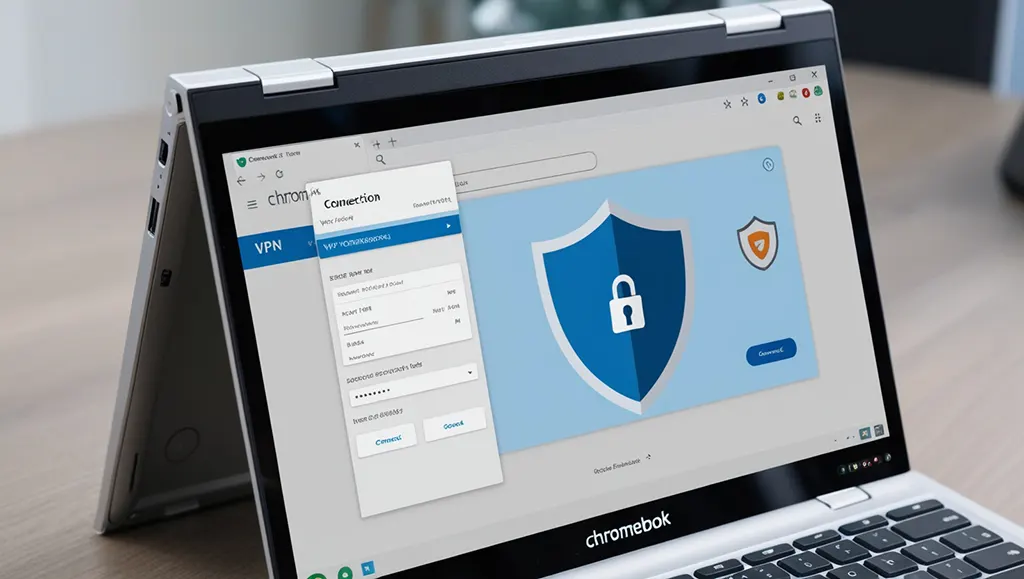
While McAfee VPN may not work on Chromebooks, there are several alternatives available that can provide similar protection and privacy benefits. Here are some options to consider:
1. Chrome VPN Extensions
Many VPN providers offer Chrome browser extensions that can work on Chromebooks. These extensions are easy to install and use, but they typically only protect your browser traffic rather than your entire device.
Pros:
– Easy to install and use
– Often free or low-cost options available
– Lightweight and don’t consume much system resources
Cons:
– Limited to browser protection only
– May not offer as many features as full VPN applications
2. Android VPN Apps
Since newer Chromebooks support Android apps, you can install VPN applications from the Google Play Store. While not all Android VPN apps work perfectly on Chromebooks, many popular providers have optimized their apps for Chrome OS.
Pros:
– Full-featured VPN protection
– Often include advanced features like kill switches and split tunneling
– Protect all internet traffic on your Chromebook
Cons:
– May not be compatible with all Chromebook models
– Can be more resource-intensive than browser extensions
3. Manual VPN Configuration
Chromebooks allow you to manually configure VPN connections using built-in settings. This method requires more technical knowledge but can work with a wider range of VPN services.
Pros:
– Works with many VPN providers
– No need to install additional software
– System-wide protection
Cons:
– Requires manual setup and configuration
– May lack advanced features offered by dedicated apps
How to Set Up a VPN on Your Chromebook
Since McAfee VPN doesn’t work on Chromebooks, let’s explore how to set up alternative VPN solutions on your device:
Setting Up a Chrome VPN Extension
1. Open the Chrome Web Store on your Chromebook.
2. Search for your preferred VPN provider’s extension.
3. Click “Add to Chrome” and confirm the installation.
4. Click the extension icon in your browser toolbar to connect to the VPN.
Installing an Android VPN App
1. Open the Google Play Store on your Chromebook.
2. Search for your chosen VPN provider’s app.
3. Click “Install” and wait for the download to complete.
4. Open the app and follow the setup instructions provided by the VPN service.
Manually Configuring a VPN Connection
1. Click on the network icon in the bottom-right corner of your Chromebook’s screen.
2. Select “VPN” and then “Add VPN connection.”
3. Enter the VPN details provided by your service provider, including server address, username, and password.
4. Click “Connect” to establish the VPN connection.
Factors to Consider When Choosing a VPN for Your Chromebook
Since McAfee VPN doesn’t work on Chromebooks, it’s essential to consider the following factors when selecting an alternative VPN solution:
1. Compatibility: Ensure the VPN service offers a Chrome extension or Android app that works well with Chromebooks.
2. Security features: Look for VPNs that offer strong encryption, a no-logs policy, and additional security features like a kill switch.
3. Server network: Choose a VPN with a wide range of server locations to ensure good coverage and access to geo-restricted content.
4. Speed and performance: Opt for VPNs known for their fast connection speeds and reliable performance.
5. Ease of use: Consider the user interface and setup process, especially if you’re new to VPNs.
6. Customer support: Look for VPN providers that offer responsive customer support to help you with any issues.
7. Price: Compare pricing plans and look for VPNs that offer good value for money.
Conclusion
In conclusion, while McAfee VPN doesn’t work on Chromebooks, there are numerous alternatives available to protect your online privacy and security. By understanding the options available, such as Chrome VPN extensions, Android VPN apps, and manual VPN configurations, you can choose the best solution for your needs.
Remember that using a VPN on your Chromebook is crucial for maintaining your online privacy, especially when using public Wi-Fi networks or accessing sensitive information. Although McAfee VPN may not be an option, the alternatives discussed in this article can provide comparable protection and features.
As the cybersecurity landscape continues to evolve, it’s possible that McAfee may develop a Chromebook-compatible VPN solution in the future. Until then, explore the alternatives, prioritize your online security, and enjoy a safer browsing experience on your Chromebook.
{
“@context”: “https://schema.org”,
“@type”: “FAQPage”,
“mainEntity”: [{
“@type”: “Question”,
“name”: “Does McAfee VPN work on Chromebooks?”,
“acceptedAnswer”: {
“@type”: “Answer”,
“text”: “No, McAfee VPN does not currently offer native support for Chromebooks. You cannot directly install and use the McAfee VPN application on Chrome OS devices.”
}
}, {
“@type”: “Question”,
“name”: “What are the alternatives to McAfee VPN for Chromebooks?”,
“acceptedAnswer”: {
“@type”: “Answer”,
“text”: “Alternatives to McAfee VPN for Chromebooks include Chrome VPN extensions, compatible Android VPN apps from the Google Play Store, and manually configured VPN connections using Chrome OS settings.”
}
}, {
“@type”: “Question”,
“name”: “How can I set up a VPN on my Chromebook?”,
“acceptedAnswer”: {
“@type”: “Answer”,
“text”: “You can set up a VPN on your Chromebook by installing a Chrome VPN extension from the Chrome Web Store, downloading a compatible Android VPN app from the Google Play Store, or manually configuring a VPN connection in your Chromebook’s network settings.”
}
}, {
“@type”: “Question”,
“name”: “Why is using a VPN important for Chromebook users?”,
“acceptedAnswer”: {
“@type”: “Answer”,
“text”: “Using a VPN on a Chromebook is important for enhancing online privacy, accessing geo-restricted content, improving security on public Wi-Fi networks, and bypassing network restrictions in schools or workplaces.”
}
}, {
“@type”: “Question”,
“name”: “What factors should I consider when choosing a VPN for my Chromebook?”,
“acceptedAnswer”: {
“@type”: “Answer”,
“text”: “When choosing a VPN for your Chromebook, consider factors such as compatibility with Chrome OS, security features, server network size, speed and performance, ease of use, customer support, and pricing.”
}
}]
}
